
Updates: Tuesday 29th September 2026

What's new: spaces grouped by building, minimum terms on spaces, under-offer availability and a lot more …
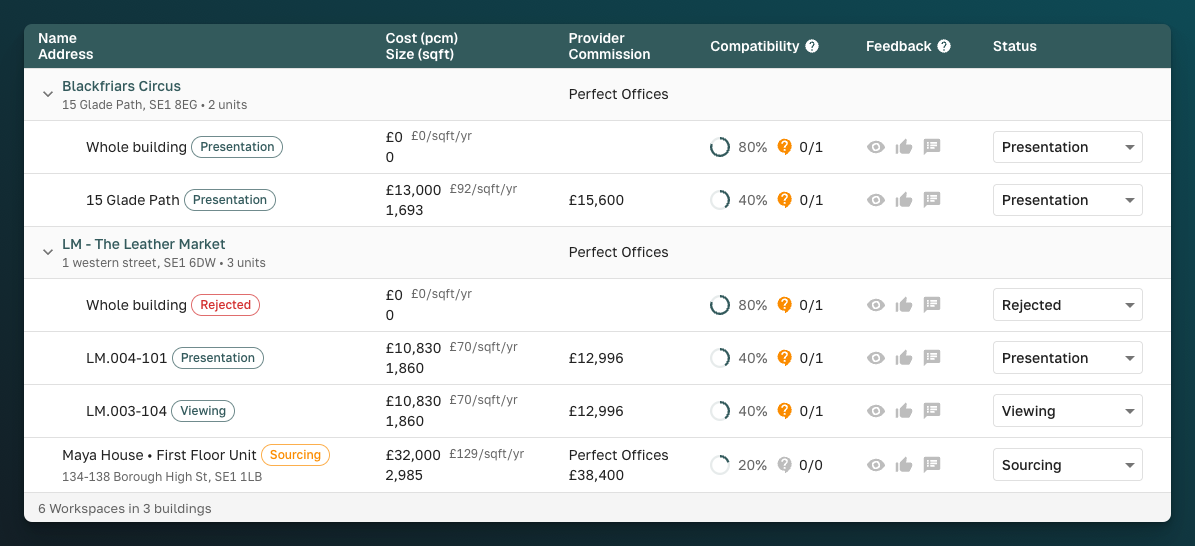
This is a big one. Long lists of spaces now group under their buildings across deals, emails and presentations, so a client sees "one building, four options" instead of four separate rows. Providers can also put a minimum term on every space and mark submitted spaces as under offer.
✨ For everyone
- Spaces grouped by building: On a deal, group your spaces by tag, building or provider from the Group by button next to Sort. Emails and presentations group units under their building too, and each building gets a numbered map pin that matches the map.
-
A tidier deal page: Move spaces between stages from a new dialog, with Move and Tag buttons right in the header - reducing two clicks! You can bulk-move a selection the same way.
-
Optional deal term: A deal no longer gets 12 months by default when nobody gave a term. A missing term shows as "—", and a one-sided one reads naturally, e.g. "6+ months" or "Up to 2 years".
-
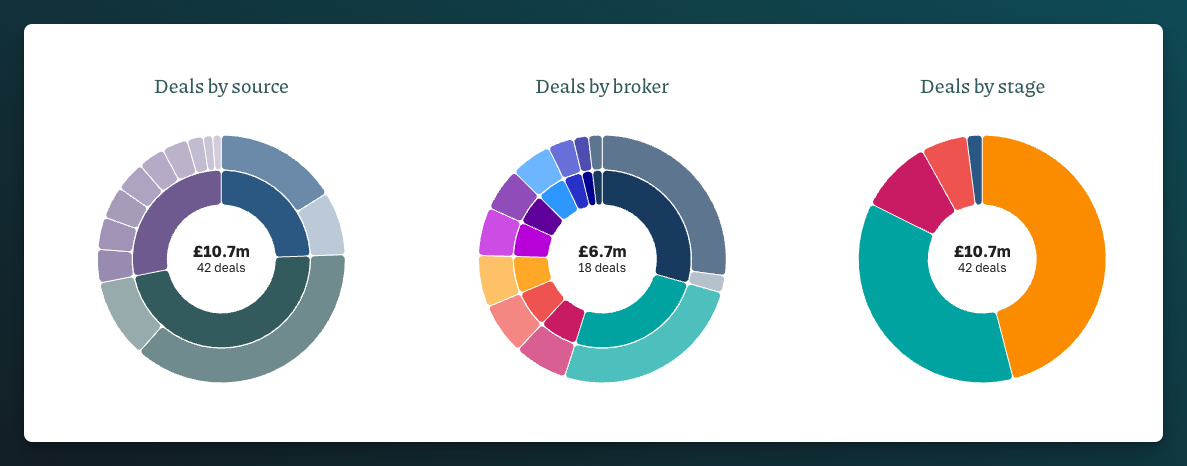
Charts that count everything: The pie charts on the Deals and Referrals pages now total every deal matching your filters, not just the page you're looking at, and each slice is sized by value. They now sit in a Stats section you can open when you need them.
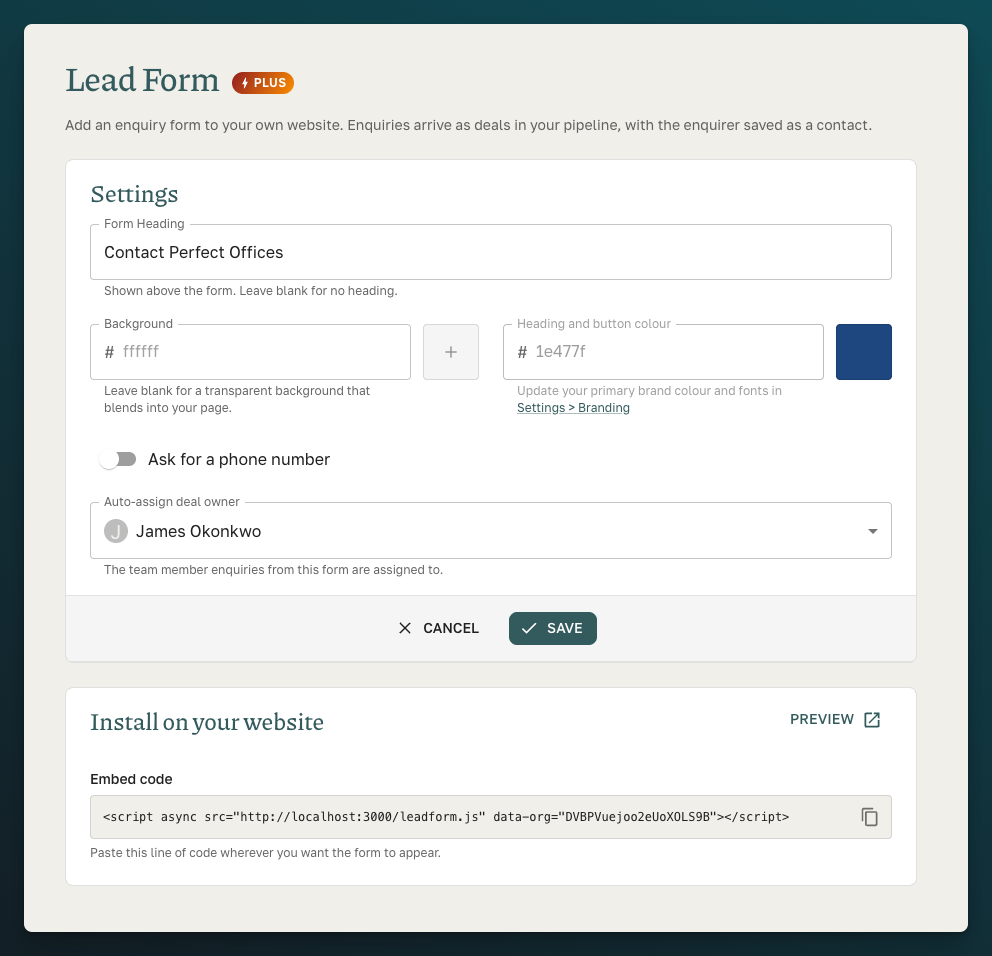
- New - Lead Form: All accounts now get the Lead Form feature. Add it to your own website and start collecting enquiries (Settings → Lead Form).
🤝 For brokers
-
New - Replied status: If a provider answers your referral by email, the referral now shows as Replied, so you know they've seen it.
-
New - Filter referrals by broker: Filter the Referrals page by broker, either from the filters or by clicking a slice of the Brokers chart, and add an optional Broker column to the table. The status chart now groups statuses into clear categories.
-
Improved - Referral drafts: Units in a draft referral now sit under their building, and you can include a whole building's units at once.
-
Improved - Shortlist emails: Each space now shows its desk count next to its size, e.g. "2,897 sqft • 35 desks".
🏢 For providers
-
New - Minimum term: Set the shortest lease each space is offered on. Units take it from their floor, floors from their building, and buildings from your account default in Settings → Spaces. Change it at any level. SpaceAI takes it into account when rating matches, and it shows on space details, presentations and PDFs, and in imports and the spreadsheet.
-
New - Under offer: When you respond to a referral, mark each space Available, Unavailable or Available, under offer. Under-offer spaces show a banner and chip, and presentations now show an Under offer chip too.
-
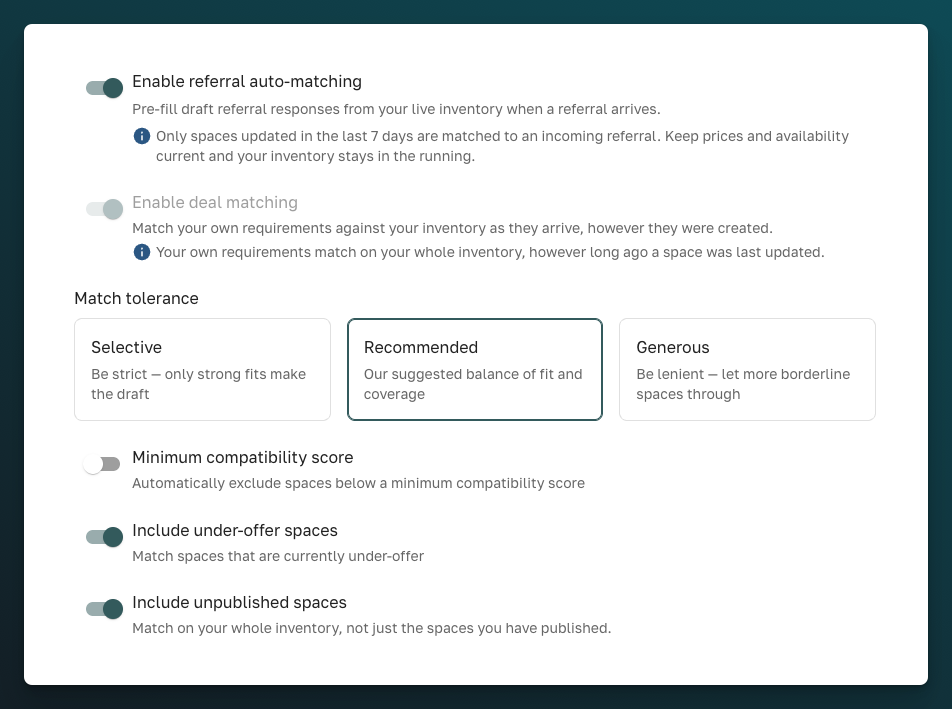
New - Auto Matching settings: Auto Matching has its own page (Settings → Auto Matching), with new options to include under-offer and unpublished spaces. The same settings now apply to deals that come in by email.
-
New - Confidential deals by email: Forward a requirement with no client name and we'll still create the deal, as "Confidential Client". We also record who introduced it: the agent, their agency, a Hubble advisor or a FreeOfficeFinder account manager. Agents Society requirements are now recognised automatically.
-
New - SpaceAI on your Spaces page: Ask SpaceAI about your own inventory straight from Spaces, without opening the Portal preview.
-
Improved - Email deal matching: Deals created by email now put their matches in Sourcing for you to review. Once every match has been rated, we reply in the same email thread with the matches, or let you know if nothing fit. If the size or location is missing, the reply says what to add.
-
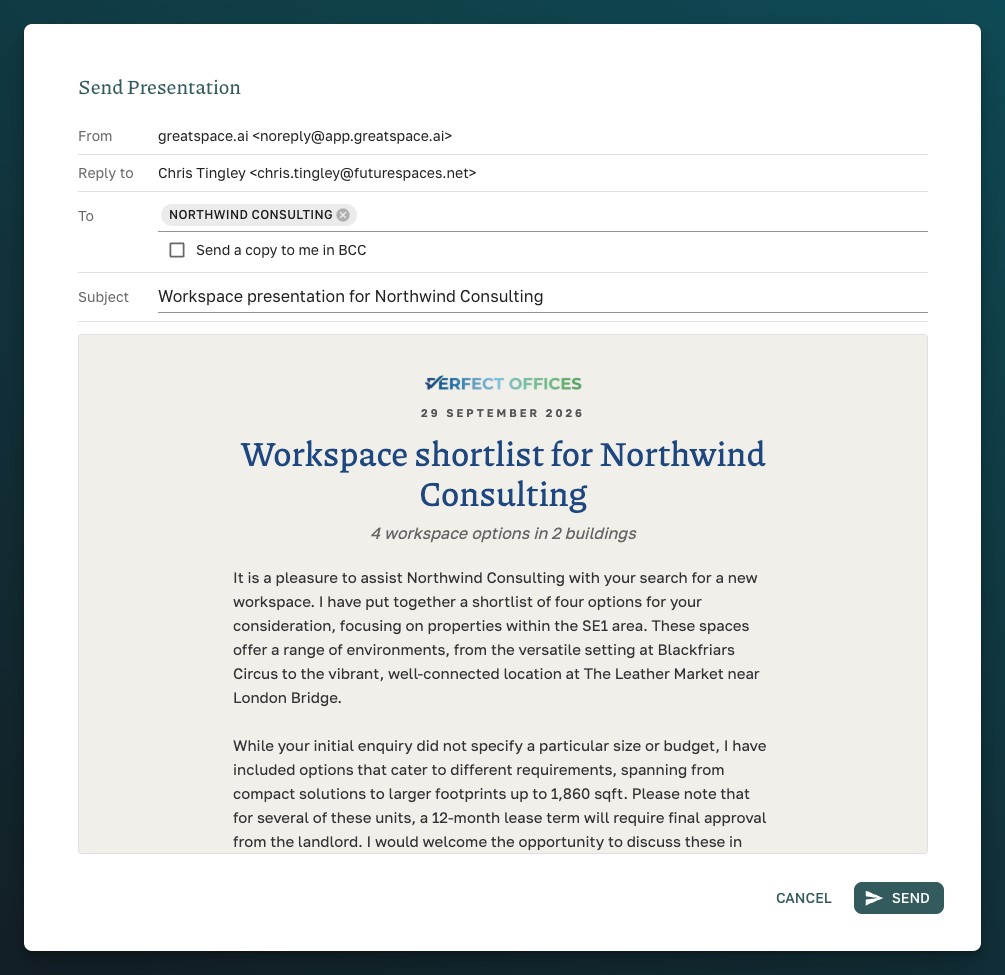
Improved - Sending presentations: The recipient now defaults to the deal's broker, replies come to you, you can BCC yourself and you can edit the subject line. The cover and email signature now show your job title, company and phone, and "Prepared for" names the broker.
-
Improved - Written for a broker: Presentation summaries can speak to the agent ("your client") on deals that came from a broker or listing platform. Use the Client / Broker switch on each deal.
-
Improved - Deals table: New Broker / Brokerage column, a Deals by broker chart and brokerage and broker filters. The source chart now groups deals into Direct, Great Space and External.
-
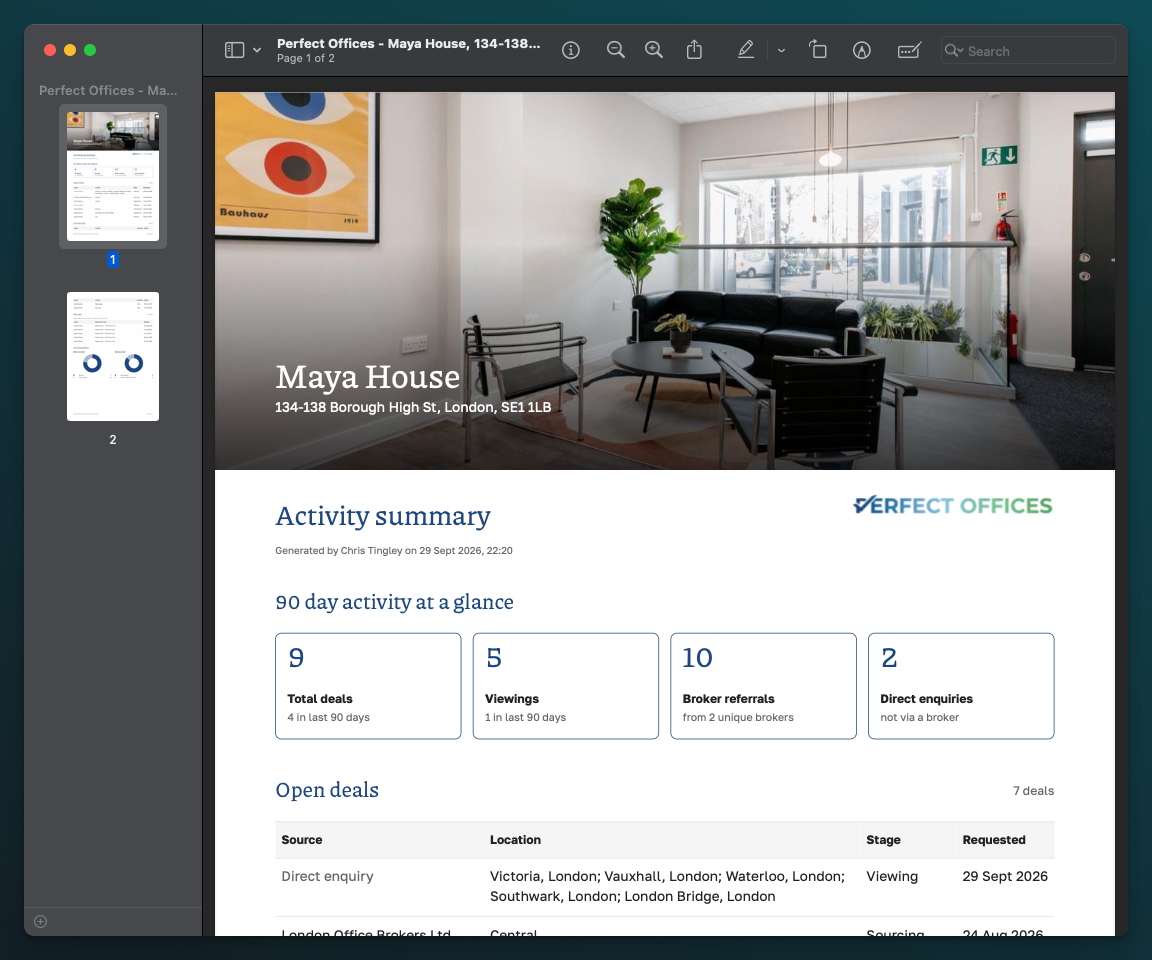
Improved - Landlord Activity Report: A fresh design with a full-width photo, a larger logo and clearer stat tiles. Viewings now count every space that reached the viewing stage.
-
Improved - Deal space photos: Photos keep their Exterior, Interior, Other and Floor plans categories when you edit a deal space, and you can delete saved photos. Space details now show photos in one row and maps and floor plans in another.
-
Improved - Spreadsheet and export: New Cost/desk (pcm) and Address columns, and photos can be switched on and off like any other column. The quick export now includes photos and addresses.
-
Improved - Imports: Import straight from SharePoint or OneDrive Excel links. Choose whether a scheduled import reads every tab or just the first. Large sheets now import much faster.
-
Improved - Stale spaces: Stale counts and the Show stale filter now skip unpublished units, since nobody sees them.
Alongside some other performance and small bug fixes.
Peace, love and deal flow — the Great Space team