
Updates: Monday, 13th July 2026
Deals, Contacts, and a whole lot more...
This is one of our largest updates since launch. There's a new name for the thing at the heart of the platform, a proper pipeline to manage it, and a stack of improvements across spaces, branding, and how you get data in and out of Great Space.
Let's dive into what's changed.
New names: Requirements are now Deals, Clients are now Contacts
The biggest visible change: "Requirements" are now "Deals" and "Clients" are now "Contacts".
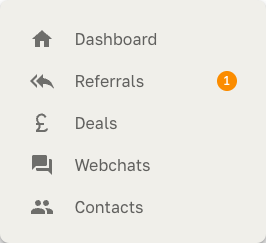
Why? "Requirement" only ever described one moment — the brief. But the thing you're actually managing runs all the way from first enquiry to a signed agreement. That's a deal. Renaming it lets us build the tools that a deal actually needs (a pipeline, stages, values) rather than bolting them onto a static brief.
Nothing has been lost or moved. Every requirement you had is now a deal, with all its history, referrals, and documents intact. Same for clients becoming contacts. You don't need to do anything — the change is purely in the language and the new tools around it.
A proper Deal pipeline
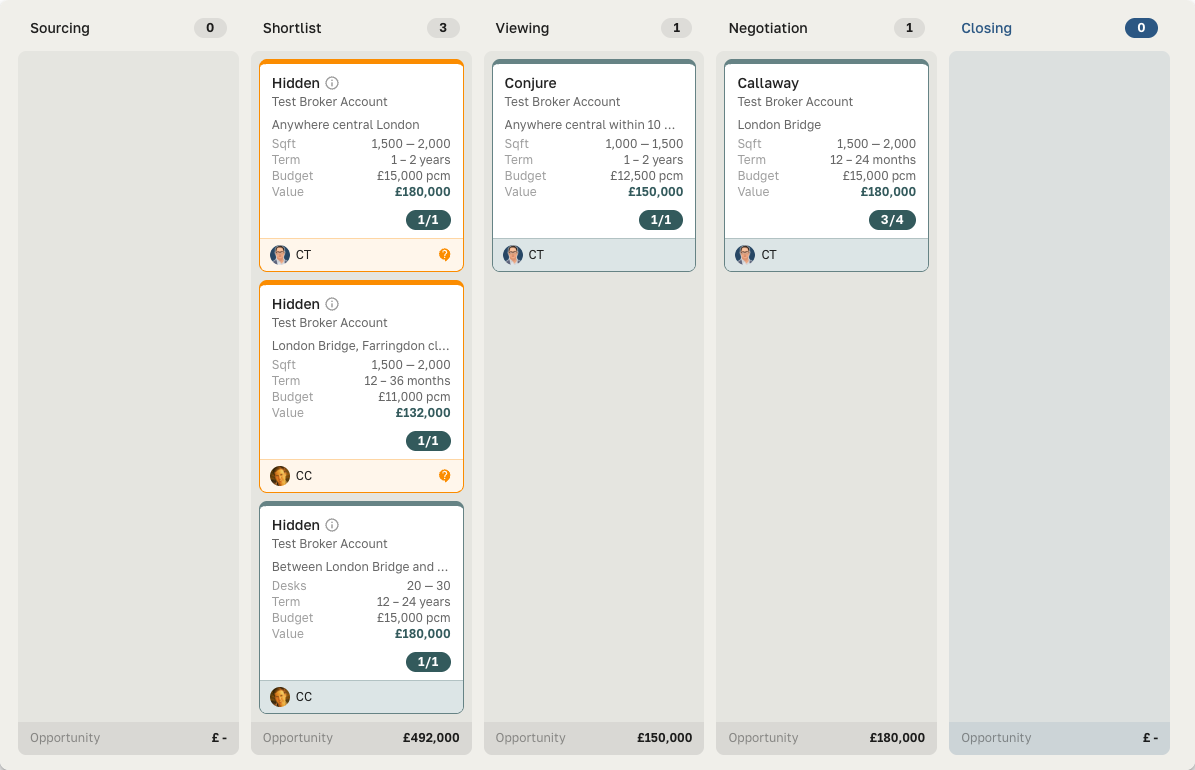
Deals now live on a Kanban board with clear stages. You can:
-
Move a deal between stages to advance it, and drop it into a closing stage to close it out. Deals advance automatically as the spaces in it progress.
-
Switch between board and table views — table view is great for filtering and bulk scanning. The app will remember what you used last, but you can switch at any time :)
-
Filter to "My deals" so you only see what's yours
-
See pipeline value rolled up per stage, valued as monthly cost × minimum term (capped at one year unless a shorter term is known)
-
Assign an owner to each deal
The board is now the default view, and stage is the single source of truth for where a deal sits.
Chats: capture leads from your website
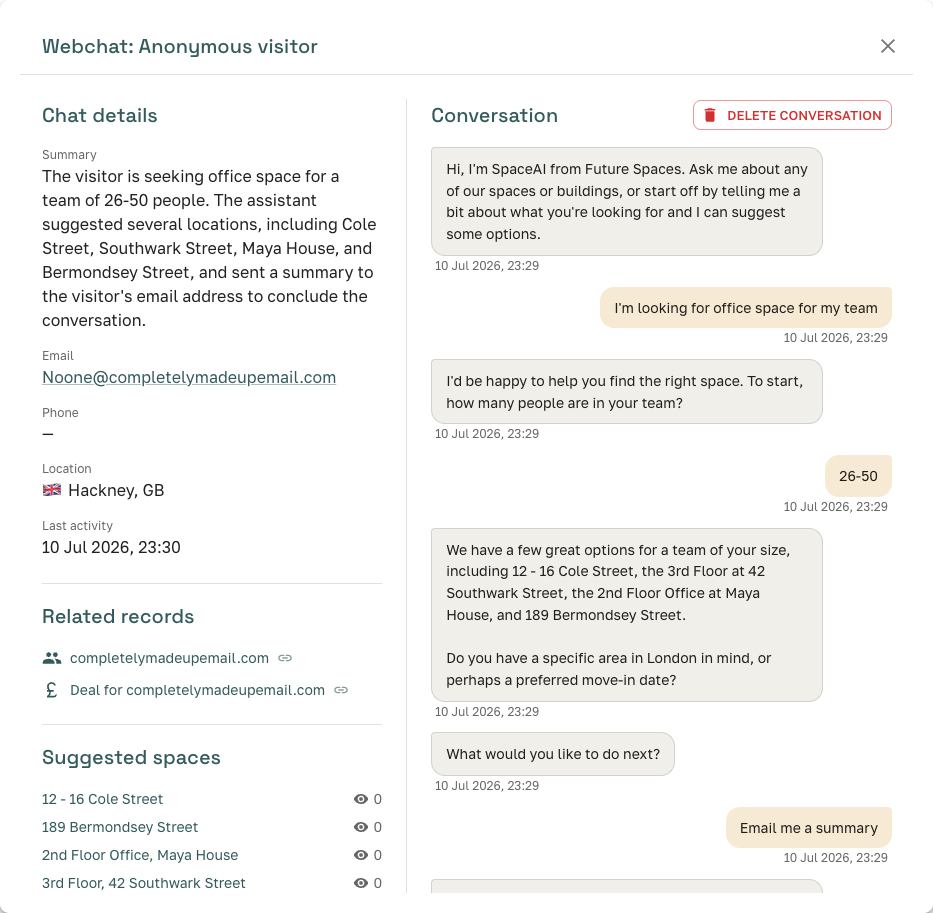
Enquiries that come in through webchat now flow straight into Great Space as a Contact and a Deal, with suggested spaces attached automatically. The new Chats page gives you filters, period-over-period stats, and a rich panel showing related records and a location flag for each conversation.
Branding: make it yours
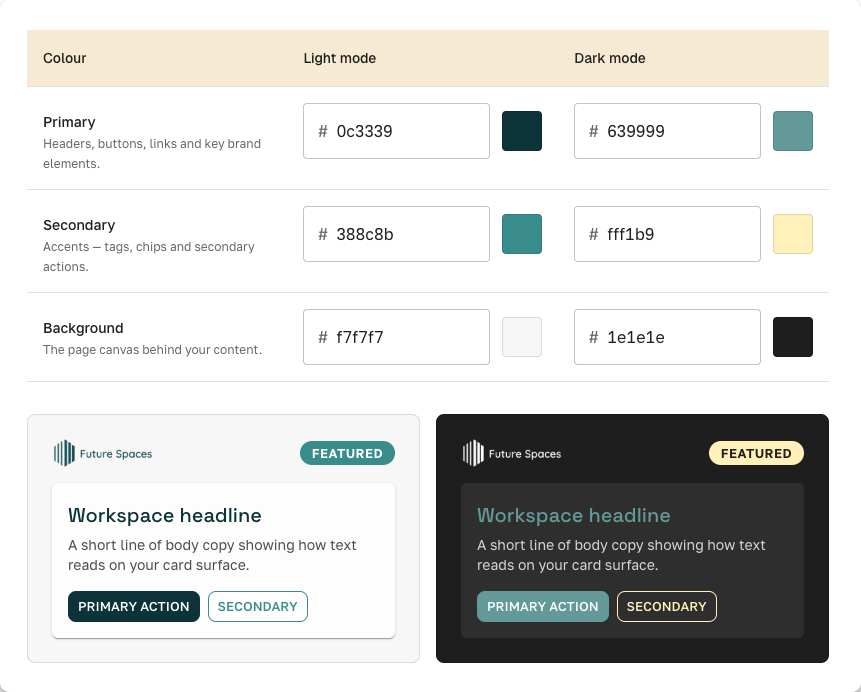
A new Branding settings page lets you set your brand palette once and have it flow through the platform:
-
Space PDF presentations — a new single-space, full-bleed PDF that uses your colours. This is VERY new and still not as polished as we would like - but it is WIP, so it's only going to get better. If there's something you'd like to see specifically included in a Workspace PDF - then do let us know.
-
Data Room and space previews pick up your palette, in both light and dark mode
-
Control the webchat widget banner from the same place.
Spaces: availability, status, and richer media
We've simplified how availability of workspaces work to better reflect how you work.
-
Three-state availability — mark a space as available, under offer, or unavailable, with an "available from" date where relevant. Matching and visibility respect these automatically.
-
Brochure thumbnails — the first page of an uploaded brochure now renders as a thumbnail in the space media tab.
-
Import now parses free-text availability into a proper status and date.
Data Room + MCP: connect Great Space to your AI tools
You can now generate a personal access token and connect Great Space's read-only Data Room to Claude or ChatGPT via MCP. Ask your AI assistant about your spaces directly. Tokens can be soft-revoked, and per-token AI cost is tracked. We'll be adding OAuth authentication to the SpaceAI MCP soon - making connecting your tools and your Data Room even easier.
We'd love your feedback on the MCP - so don't be shy to try it out and let us know how you are using it.
Dashboards worth looking at
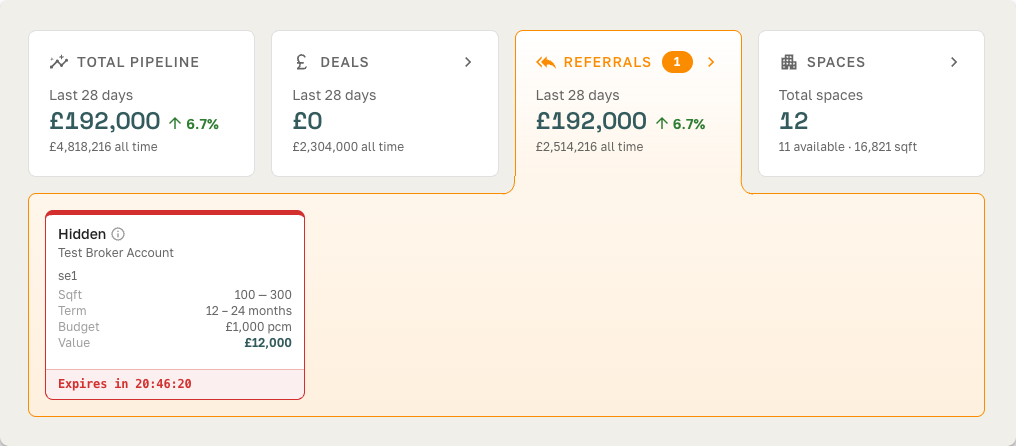
Both broker and operator dashboards have been rebuilt with clear stat cards and KPI tiles — pending referrals front and centre, a redesigned Workspace Clarifications inbox, spaces-available counts, and pipeline value at a glance.
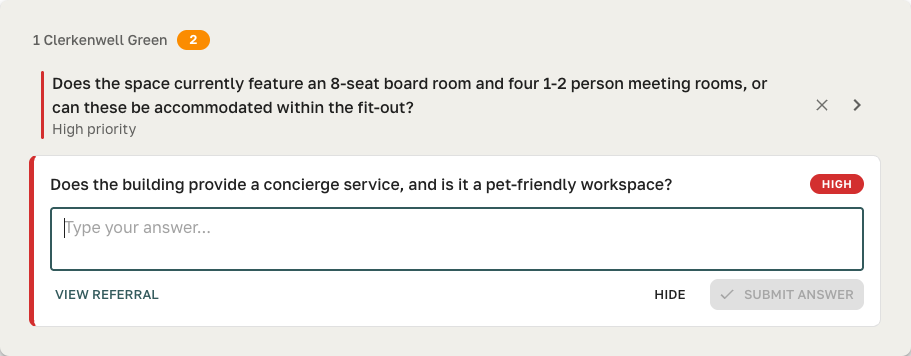
We've also made the Workspace Clarification questions on Provider Dashboards easier to read:
Referrals: reply-to-email and clearer views
-
Operators can now just reply to a referral email in some cases, rather than always logging in (we're expanding this). NOTE: You'll have needed to set up your Data Room for this to work!
-
A condensed operator referral list, unified Filters panel across deals and referrals, and the client website now shows as a link on referral views.
A new in-app help system
We're adding a help architecture throughout the app — contextual guidance where you need it, starting with the setup instructions for the Data Room MCP connection. You can expect to see more help files as we build them out!
Under the hood
A lot of this release you won't see but will feel: faster page loads across referrals, workspaces, providers, and the presentation/data-room views, quicker sign-in, and a large round of consistency and reliability cleanups.
As always, if something looks different and you're not sure where it went, just reply or drop us a message — we're happy to walk you through any of it.