
Updates: Monday 7th April 2026
Hello beta users.
We hope you had a great long weekend - we did take a break, but we were also putting some finish touches to a set of brand new features for you.
Thanks again for all your feedback - we hope that you are enjoying seeing your great ideas make it into the Great Space platform!
Keep the feedback coming! Best wishes, Chris + Chris
New presentation themes
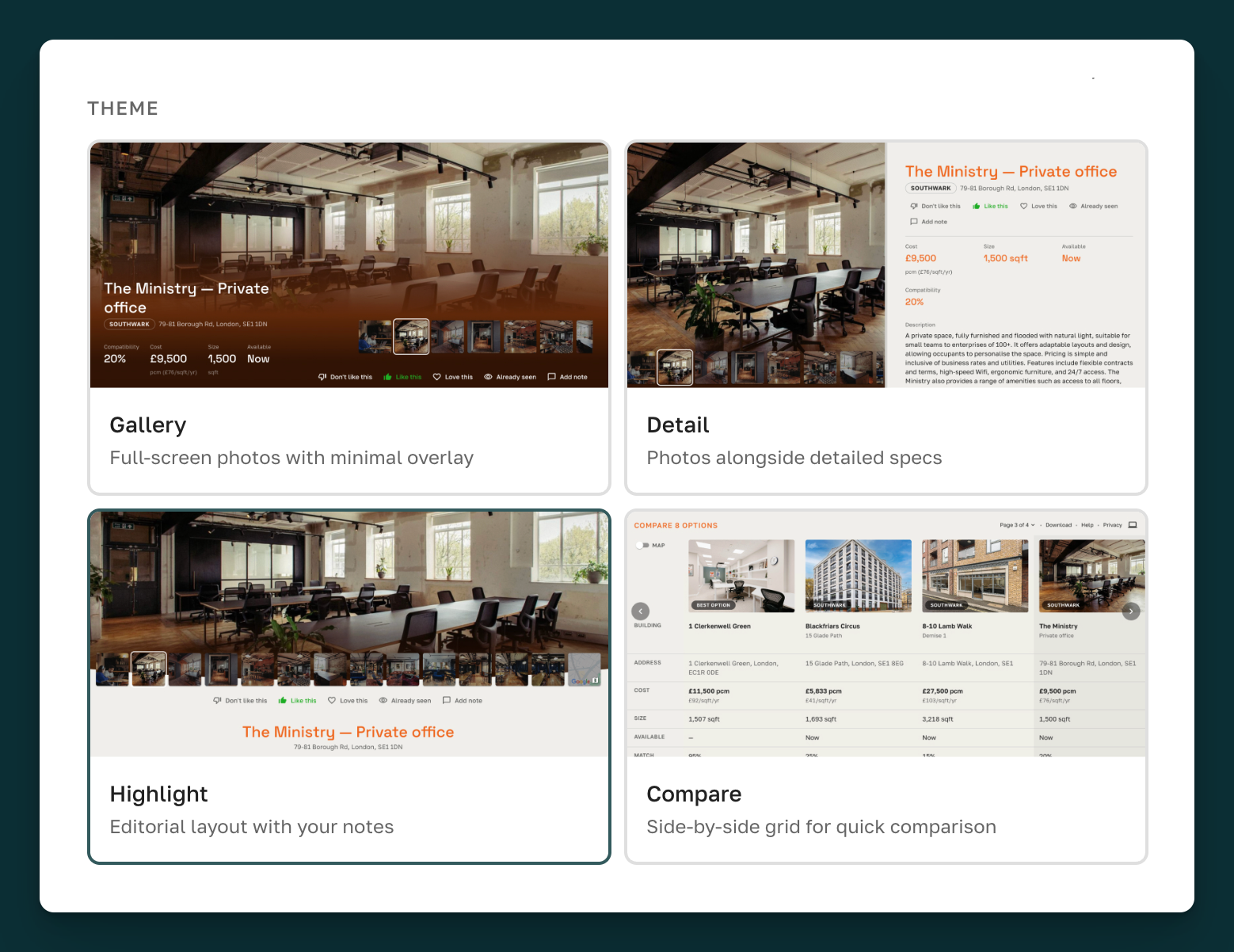
We now have four interactive presentaiton themes for you to choose from:
-
Gallery (the current default theme)
-
Detail (provides side by side photos and space details)
-
Highlight (a more editorial style layout)
-
Compare (a side by side comparison table for quick comparison of options)
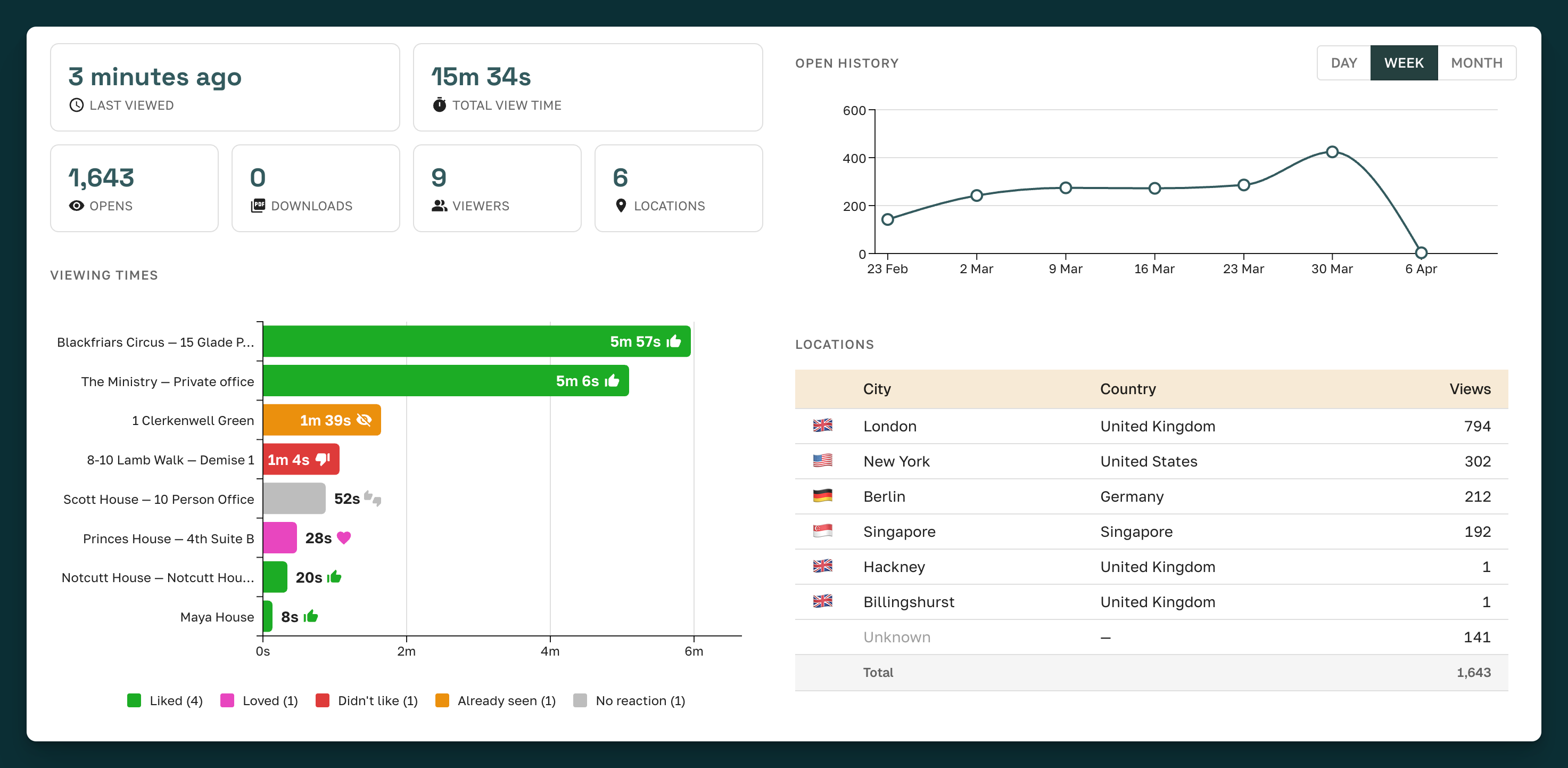
Enhanced interactive presentation analytics
See who's opened your presentation, how many times and from where. As well as which spaces they have liked, loved and not liked including how long they have spend looking at each.
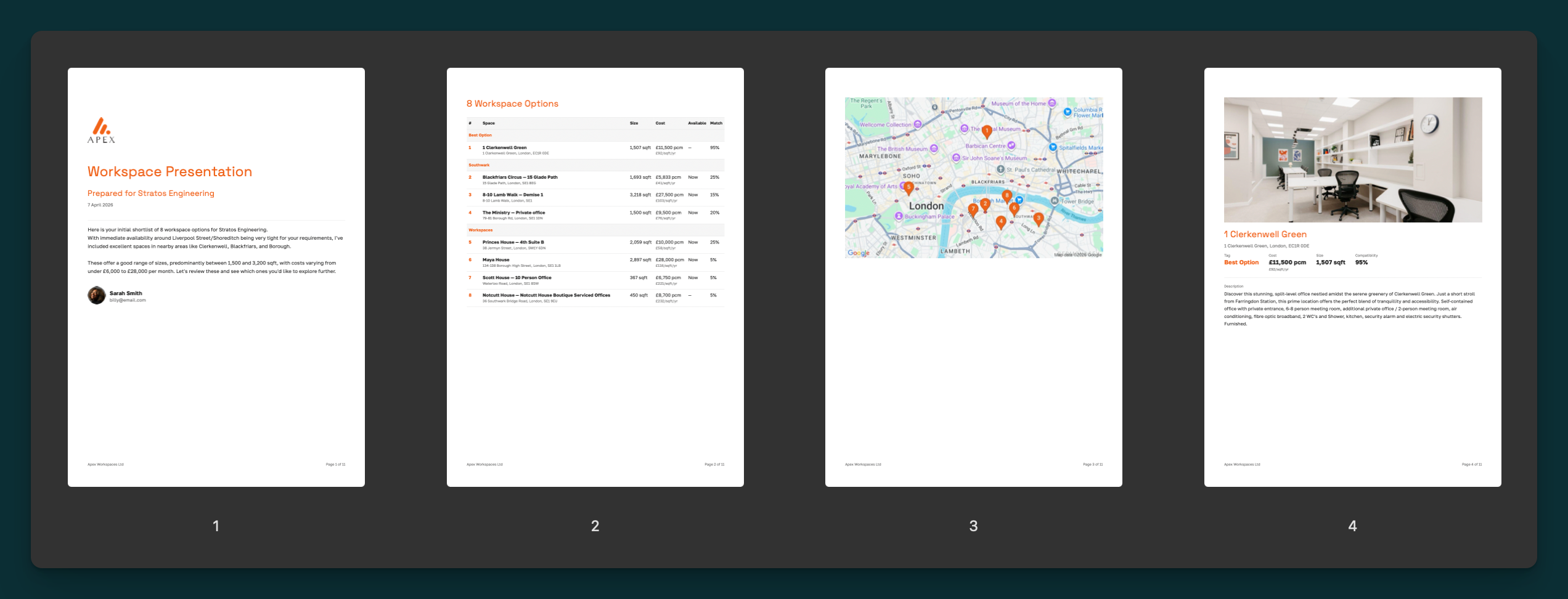
Download presentation as PDF
A few of you mentioned that you'd like to be able to download the presentation as a static PDF. This is now possible from the broker platform as well as being presented as an option in the interactive presentation menu for end-users.
Presentation and Referral UI updates
Along with the changes listed above, we've simplified the UI for presentations and referrals. They both now display in the right hand panel, presented as two tabs.
Custom Clarification Questions
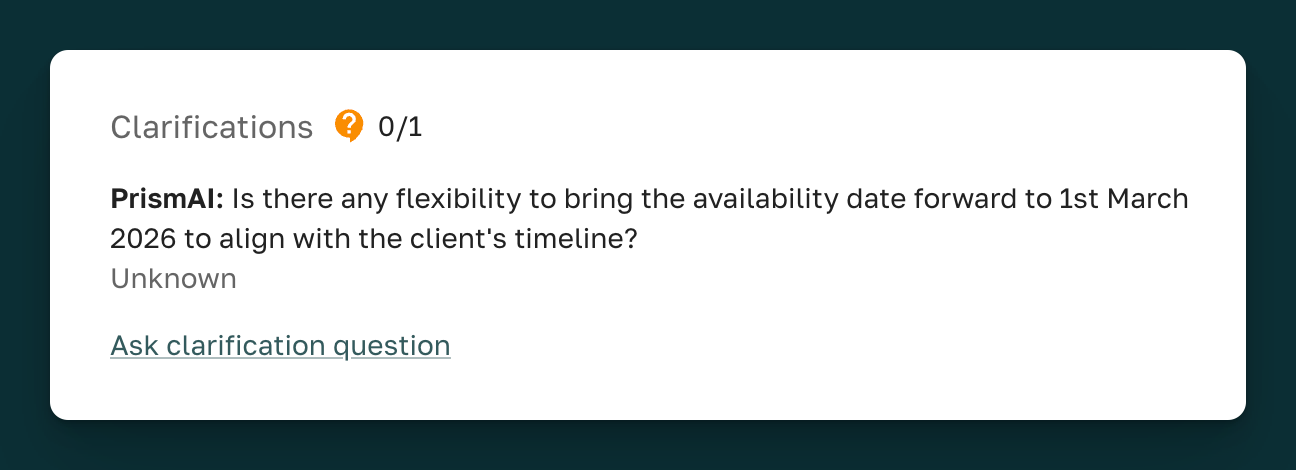
Now, as well as the clarification questions that are automatically generated by our AI, you can also add your own questions which will be sent to providers for clarification. Questions will now be prefixed with the name of the person (or AI) that has asked the question.
Click "Ask clarification question" from the Compatibility Score Dialog:
Notes:
-
This option will only be available for provider-submitted spaces.
-
Clarification responses will update the compatibility score for that space.
Update submitted photos
We've made it possible for you to add and remove photos from submitted spaces - giving you the ability to update the photos that are made available in the presentation. You can also change the primary photo.
